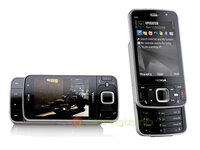
Ghost Dual Sim
http://img.photobucket.com/albums/v501/ah_kit/ghostsim.gif
Now you can have two sim cards in your mobile phone enabling you to have two different networks at a touch of a button no soldering is needed its as easy as plug and play.
Advantages of the Ghost Sims & Dual Sim Covers
Two Lines & Two Numbers
Have A Business & Personal Sim Card In One Phone
When Coverage Is Poor Just Switch To The Other Network
Change Between Sim Cards By Turning The phone Off & On
Tell me ur model of ur phone .. i think i have all model in market now ..
compatibility : 3310.5510.3350.3330.3410.3510.3315.t190.t191.t189.7789.6210.3220.6230.6600.8310.6510.T310.M388.C266.T238.
8210.8250.8850.5210.6210.2100.l2000.cf2000.a2188.V2088.t192.6620.3200.Nok7210.7250.S308.6610.6100.3100.
3108.6108.1100.2300.c55.c100.t68.t68i.C60.3120.6120.c200.c62.168d.gd90.t66.268e.588h.3518.a200.3568.7110.
T108.1118.r210.n500.A6188.3508.a288.5130.8088.998.3688.gd928
Gd938.t288.t20.t28.t68.T68n.t29
.r320.a3618.918.930.968.988ot500.ot300.ot201.z18.j16.gd62.gd93.3650/C2588.2128.NC60
1stly , the model i stated here is including moto ,SE , nokia ,samsung ..i know is repeating and very blur maybe , but then i type in according to stock ..
BULK FOR 50 piece !! come on !!
Step 1
Take off the back cover and remove battery.
Insert the coloured sim end into your sim card slot, just like a normal sim card.
http://www.fonefunshop.co.uk/dualsim/7.jpg
Step 2
Fold the Dual Sim Holder back on itself
http://www.fonefunshop.co.uk/dualsim/2.jpg
Step 3
Now replace the battery
http://www.fonefunshop.co.uk/dualsim/3.jpg
Step 4
Now Replace the Back cover onto your T610.
This can be a tight Fit so be sure to squeeze all four corners of the back cover down as you slide it back up into place.
http://www.fonefunshop.co.uk/dualsim/4.jpg
Step 5
That's it your cover is in place and your ready to turn on your T610.
If the phone will not turn on try Step 2.5, as this will give you less pressure between your battery and connecters, giving you nice snug fit.
http://www.fonefunshop.co.uk/dualsim/5.jpg
Step 6
Now You have turned on your phone, it will pick up the first sim card.
To Switch between networks, just switch off your T610 and power back on after 3 seconds.
The Ghost sim will then use your other network.
http://www.fonefunshop.co.uk/dualsim/dualsimcovers.htm
Price Is RM19
Stock is All at supplier now , so have to book 1st then wil take it for u asap ...so faster name me the stuff u want and bank in to me asap ...
about shipping , i would think to give all free shipping but then some maybe is snail mail like the dual sim card ....
I THINK THIS BULK IS SUCCESSFULL D ...FASTER BANK IN TO ME FOR THOSE BUYER .. AFTER BANK IN REMEMBER TO PRINT SCREEN IF U R USING MAYBANK2U ...AND REMEMBER TO give me ur name , address
my maybank acc is :SIM YEONG KIT 111039104796
http://img.photobucket.com/albums/v501/ah_kit/ghostsim.gif
Now you can have two sim cards in your mobile phone enabling you to have two different networks at a touch of a button no soldering is needed its as easy as plug and play.
Advantages of the Ghost Sims & Dual Sim Covers
Two Lines & Two Numbers
Have A Business & Personal Sim Card In One Phone
When Coverage Is Poor Just Switch To The Other Network
Change Between Sim Cards By Turning The phone Off & On
Tell me ur model of ur phone .. i think i have all model in market now ..
compatibility : 3310.5510.3350.3330.3410.3510.3315.t190.t191.t189.7789.6210.3220.6230.6600.8310.6510.T310.M388.C266.T238.
8210.8250.8850.5210.6210.2100.l2000.cf2000.a2188.V2088.t192.6620.3200.Nok7210.7250.S308.6610.6100.3100.
3108.6108.1100.2300.c55.c100.t68.t68i.C60.3120.6120.c200.c62.168d.gd90.t66.268e.588h.3518.a200.3568.7110.
T108.1118.r210.n500.A6188.3508.a288.5130.8088.998.3688.gd928
Gd938.t288.t20.t28.t68.T68n.t29
.r320.a3618.918.930.968.988ot500.ot300.ot201.z18.j16.gd62.gd93.3650/C2588.2128.NC60
1stly , the model i stated here is including moto ,SE , nokia ,samsung ..i know is repeating and very blur maybe , but then i type in according to stock ..
BULK FOR 50 piece !! come on !!
Step 1
Take off the back cover and remove battery.
Insert the coloured sim end into your sim card slot, just like a normal sim card.
http://www.fonefunshop.co.uk/dualsim/7.jpg
Step 2
Fold the Dual Sim Holder back on itself
http://www.fonefunshop.co.uk/dualsim/2.jpg
Step 3
Now replace the battery
http://www.fonefunshop.co.uk/dualsim/3.jpg
Step 4
Now Replace the Back cover onto your T610.
This can be a tight Fit so be sure to squeeze all four corners of the back cover down as you slide it back up into place.
http://www.fonefunshop.co.uk/dualsim/4.jpg
Step 5
That's it your cover is in place and your ready to turn on your T610.
If the phone will not turn on try Step 2.5, as this will give you less pressure between your battery and connecters, giving you nice snug fit.
http://www.fonefunshop.co.uk/dualsim/5.jpg
Step 6
Now You have turned on your phone, it will pick up the first sim card.
To Switch between networks, just switch off your T610 and power back on after 3 seconds.
The Ghost sim will then use your other network.
http://www.fonefunshop.co.uk/dualsim/dualsimcovers.htm
Price Is RM19
Stock is All at supplier now , so have to book 1st then wil take it for u asap ...so faster name me the stuff u want and bank in to me asap ...
about shipping , i would think to give all free shipping but then some maybe is snail mail like the dual sim card ....
I THINK THIS BULK IS SUCCESSFULL D ...FASTER BANK IN TO ME FOR THOSE BUYER .. AFTER BANK IN REMEMBER TO PRINT SCREEN IF U R USING MAYBANK2U ...AND REMEMBER TO give me ur name , address
my maybank acc is :SIM YEONG KIT 111039104796